Nervecentre V8.1 Help for Users
You can prescribe on a mobile or desktop. On a mobile, prescribe from the MAR Medicines Administration Record. Also known as drug chart. A list of all medication prescribed and administered (given).. On a desktop, select .
About prescribing on a mobile
 Overview of the prescribing process
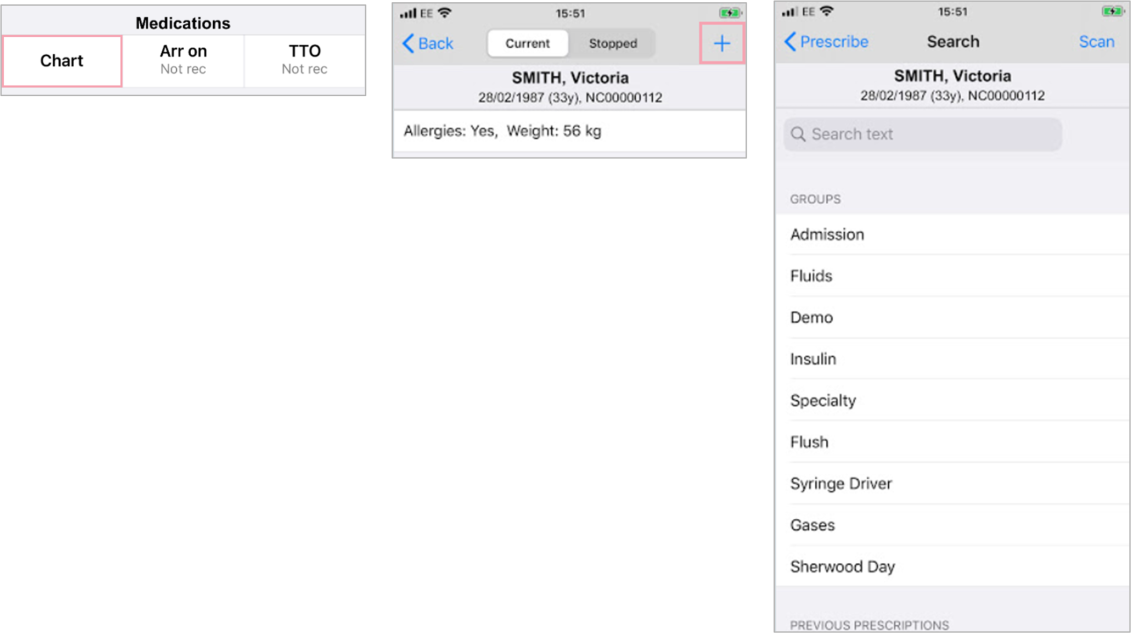
You can start a new prescription from your patient list > select a patient > Chart > +.
You can prescribe in four ways: searching, scanning, adding from groups, and adding from previous prescriptions.
Read more about starting a new prescription
About prescribing on a desktop
Overview of the prescribing process
You can prescribe from Inpatients > Patient List > double-click on a patient's name > Patient Detail > Meds > .
-
Search for a medication.
-
Select or enter additional information, for example, dose, frequency, or indication.
-
Validate prescriptions by acknowledging or actioning any alerts.
-
Medication is shown on the MAR, and can then be administered.
Overview of Prescribe
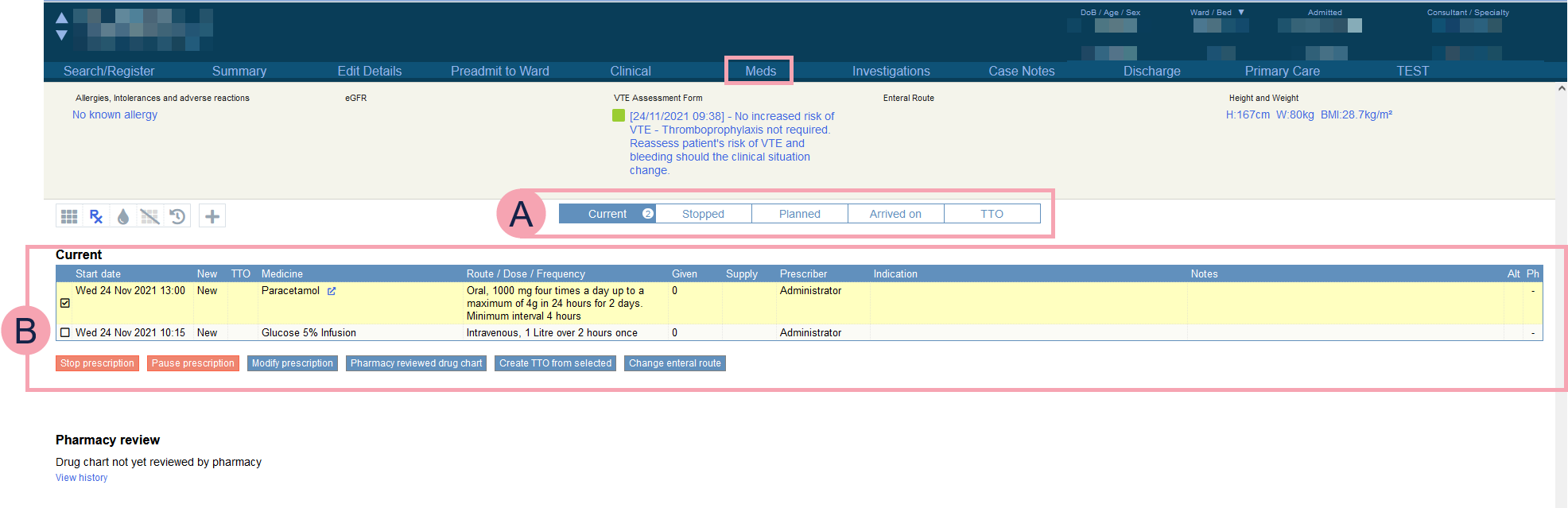
From Inpatients > Patient List > double-click on a patient's name > Patient Detail, select Meds.
To open Prescribe, select . When Prescribe opens, it shows a list of current prescriptions.
|
|
Select which prescriptions to view. Choose from:
|
||||||||||||
|
|
Select a prescription to access all the buttons below the list.
|


Did you find this article helpful? Yes No
Sorry about that. Our help is a work in progress and we welcome any feedback.
Why wasn't this helpful? Please select one reason:
Thanks for your feedback.
Great!
Thanks for taking the time to give us some feedback.